
 By Nick John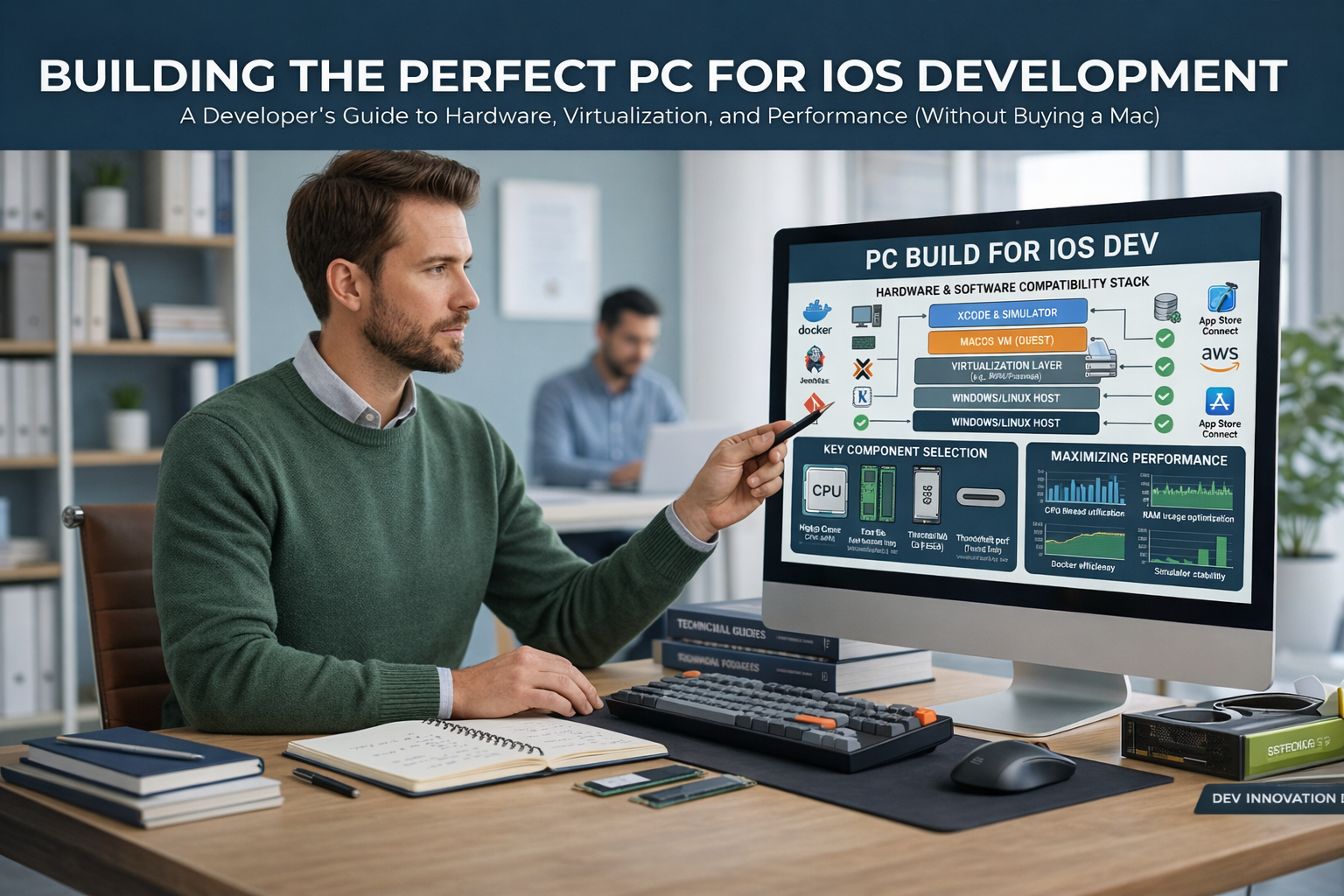
At first glance, it looks like iOS development is only possible with Apple’s hardware. The first thing anyone will tell you if you want to be an iOS developer or are already one is to “buy a Mac.” That advice is useful, but it’s not always possible. Budget constraints, lack of availability in certain areas, the ability to upgrade, and personal preference often lead developers to look into powerful PC-based alternatives.
If you want to become an iOS developer or already are one, picking the right PC isn’t just a matter of picking high-end specs at random. It’s about knowing how iOS development workflows work, which tools use the most resources, and how to make your system ready for new iOS releases. This article breaks everything down in a way that is useful and easy to understand, focusing on real development needs instead of marketing jargon.
By the end, you’ll know exactly what to look for in a PC that can handle iOS development workflows well, no matter if you’re using virtualization, remote macOS access, or a dual-system setup.
Understanding iOS Development Workflows on a PC
Before getting into hardware specs, it’s important to know how iOS development works when you’re not directly using a Mac. Xcode and iOS simulators are official Apple tools that only work on macOS. This means that most iOS developers who work on PCs use one of three methods.
The first method is to run macOS in a virtual machine on a PC. This setup needs a fast CPU, good virtualization support, and a lot of RAM. The second method uses macOS environments in the cloud, where your PC acts as a powerful client machine. In this case, being able to multitask and have stable performance are more important than just being able to run macOS. The third way is a hybrid model, where you make most of the logic and UI on a PC with cross-platform tools and then finish the builds on a Mac that is not in the same room as you.
All three methods put a lot of strain on system resources, especially the processor, memory, and storage. That’s why it’s so important to pick the right PC setup.
Processor: The Backbone of iOS Development Performance
For an iOS developer who works on a PC, the processor is the most important part. CPU performance is very important for compiling, running a simulator, indexing, and running tasks in the background.
When it comes to iOS-related workflows, you should look for processors with good single-core performance because many development tasks don’t run perfectly in parallel. Intel Core i7 or i9 processors from the most recent generations work very well in this area. The AMD Ryzen 7 and Ryzen 9 processors are also great options. They have a good mix of multi-core power and efficiency that works well for virtual machines and parallel build processes.
Support for hardware virtualization is another important factor. If you want to run macOS in a virtual machine, you need technologies like Intel VT-x or AMD-V. If virtualization isn’t set up correctly, performance will drop a lot, making even simple tasks annoying.
For comfortable iOS development on a PC, you should have at least 8 cores. This is especially true if you run emulators and your IDE at the same time.
RAM: Why Memory Matters More Than You Think
A lot of developers don’t realize how much memory iOS development can use. Running an IDE, a simulator, background services, browsers with documentation tabs, and maybe even a virtual machine can use up a lot of RAM very quickly.
You should think about getting at least 16 GB of RAM for a smooth experience. But if you want to run macOS in a virtual machine or work on big projects, you should definitely get 32 GB of RAM. This extra memory lets your computer run more than one process at a time without slowing down or having to swap files on the disk.
The speed of the memory is also important. Faster RAM makes it easier to switch between tools and cuts down on latency when building. It may not be as important as CPU performance, but it helps the workflow run more smoothly overall.
Storage: Speed, Capacity, and Reliability
The amount of storage you have directly affects how fast your development environment feels. Disk speed is always being used, from opening projects to indexing files to starting simulators.
For iOS development on a PC, solid-state drives are a must. An NVMe SSD is much faster at reading and writing than a standard SATA SSD, which is why it is the best choice. You should try to get at least 512 GB of storage because development tools, SDKs, virtual machines, and project files take up a lot of space quickly.
A dual-drive setup works very well if you can afford it. You can use one fast NVMe SSD for the operating system and development tools, and a second SSD or HDD for backups, media files, and old projects.
Graphics: Integrated vs Dedicated GPUs
iOS development doesn’t depend on GPU performance as much as game development or 3D modeling do. The CPU and memory are where most of the work is done. That being said, having a good GPU is still important, especially if you use simulators, UI preview tools, or external displays.
Most of the time, the integrated graphics in modern Intel and AMD processors are enough for basic iOS development tasks. A mid-range dedicated GPU can make your computer more responsive overall, but if you plan to work with complex animations, cross-platform frameworks, or more than one high-resolution monitor, it can help.
The most important thing to remember is that you shouldn’t spend too much on a graphics card unless it will help you do your job better.
Display: Productivity Starts with Visual Comfort
A good display can make a huge difference in how you develop. To read code for a long time, the screen needs to be clear, have the right colors, and have enough space.
For developing for iOS, the screen must be at least Full HD. If you work with more than one window at a time, you should try to get a QHD or 4K display. The size of the screen is also important. A 27-inch monitor strikes a good balance between clarity and workspace.
Another important thing is how accurate the colors are. A display that reproduces colors well helps make sure that your UI designs look the same on all devices because iOS apps are very visual.
Keyboard, Trackpad, and Input Devices
People don’t always think about input devices, but they have a direct effect on how much work gets done. iOS developers spend a lot of time typing, moving around code, and using shortcuts.
A mechanical or high-quality membrane keyboard with good key travel can help you type faster and make you less tired. A lot of developers like trackpad-style input for navigation because it works a lot like the gestures used in macOS. The good news is that PC users can easily find high-quality external trackpads.
The goal is to give Windows users an experience that is as close as possible to the fluid interaction experience that macOS developers have, without making it less comfortable.
Cooling and Build Quality: Sustained Performance Matters
Building apps for iOS takes a long time, and you have to keep indexing and using simulators. These tasks can put a lot of stress on your system for a long time.
A PC that doesn’t cool well will slow down and cause builds to take longer. Look for systems that have good airflow, good fans, and thermal designs that work well. You should be especially careful when looking at laptops because thin designs often make them less effective at cooling.
If you want to use your PC for a long time, the quality of the build is also important. A strong chassis, dependable ports, and parts that can be upgraded all help the system last longer.
Operating System Compatibility and Flexibility
Your PC should run the latest versions of Windows or Linux without any problems, since both are often used with iOS development workflows. It is important to have stable driver support, firmware updates, and compatibility with development tools.
A lot of developers use Windows as their main operating system and either virtualization or remote macOS solutions. In this case, system stability and the ability to get updates become very important. A PC platform that is well-supported has less downtime and fewer problems that come up out of the blue.
Connecting and Networking
If you use cloud-based macOS environments or remote build servers, it’s very important to have a stable internet connection. A computer with good Wi-Fi or Ethernet support makes it easy to talk to systems that are far away.
More USB ports, Thunderbolt support, and the ability to connect to an external display also make it more flexible. These features let you connect devices, external drives, and debugging tools without having to switch cables all the time.
Budget Considerations and Value for Money
One of the best things about using a PC for iOS development is that it saves money. Compared to fixed hardware ecosystems, PCs have more options for how to set them up and how to upgrade them.
Instead of going after the most expensive parts, try to find a balance. A system with a strong CPU, plenty of RAM, fast storage, and a good display will work better in the real world than one that is unbalanced and has a lot of GPUs.
Why Content Like This Matters for Developers
Picking the right development setup isn’t just a technical choice; it’s a career choice. We at Buzz Planets work to make complicated tech topics easier to understand for developers by breaking them down into useful insights. We don’t want to give general advice; we want to help professionals make better choices that save them time, money, and stress.
Buzz Planets is made for people who want to know more about development tools, hardware choices, and new tech trends in a way that is easy to understand.
Conclusion
You can build or choose a PC for iOS development if you know what really matters. The most important thing is not to copy a Mac, but to make a system that works well with your workflow. A productive development environment needs a powerful processor, enough RAM, fast storage, and a display that is easy to read.
iOS developers can save money, have more options, and get better performance from their PCs without losing the ability to make high-quality apps.
Frequently Asked Questions (FAQs)
1. Is it possible to make iOS apps on a PC if I don’t have a Mac?
Yes, a lot of developers use virtual machines, cloud-based macOS services, or a mix of both to work on PCs. You need a Mac to submit your app, but you can do most of the work on a PC.
2. How much RAM do you need to make iOS apps on a PC?
The minimum is sixteen gigabytes, but thirty-two gigabytes is much better, especially when using virtual machines or simulators.
3. Do you need a separate graphics card to develop for iOS?
No, iOS development uses a lot of CPU and RAM. If you only work with advanced UI animations or multiple high-resolution displays, a dedicated GPU is not worth it.
4. What kind of storage is best for programming?
The speed of an NVMe SSD makes it the best choice. Faster storage makes loading times, builds, and overall responsiveness much better.
5. Can you use a laptop to develop iOS apps on a PC?
Yes, as long s they have good cooling, a good processor, enough RAM, and SSD storage. Thermal performance is very important for long-term workloads.
Summary
When choosing the best PC for iOS development, it’s important to know what performance is most important to you instead of just going with your gut. A powerful CPU, lots of RAM, quick SSD storage, and a comfortable display are much more important than flashy parts. When iOS developers have a balanced setup, they can work quickly on a PC and get more for their money.