
 By Nick John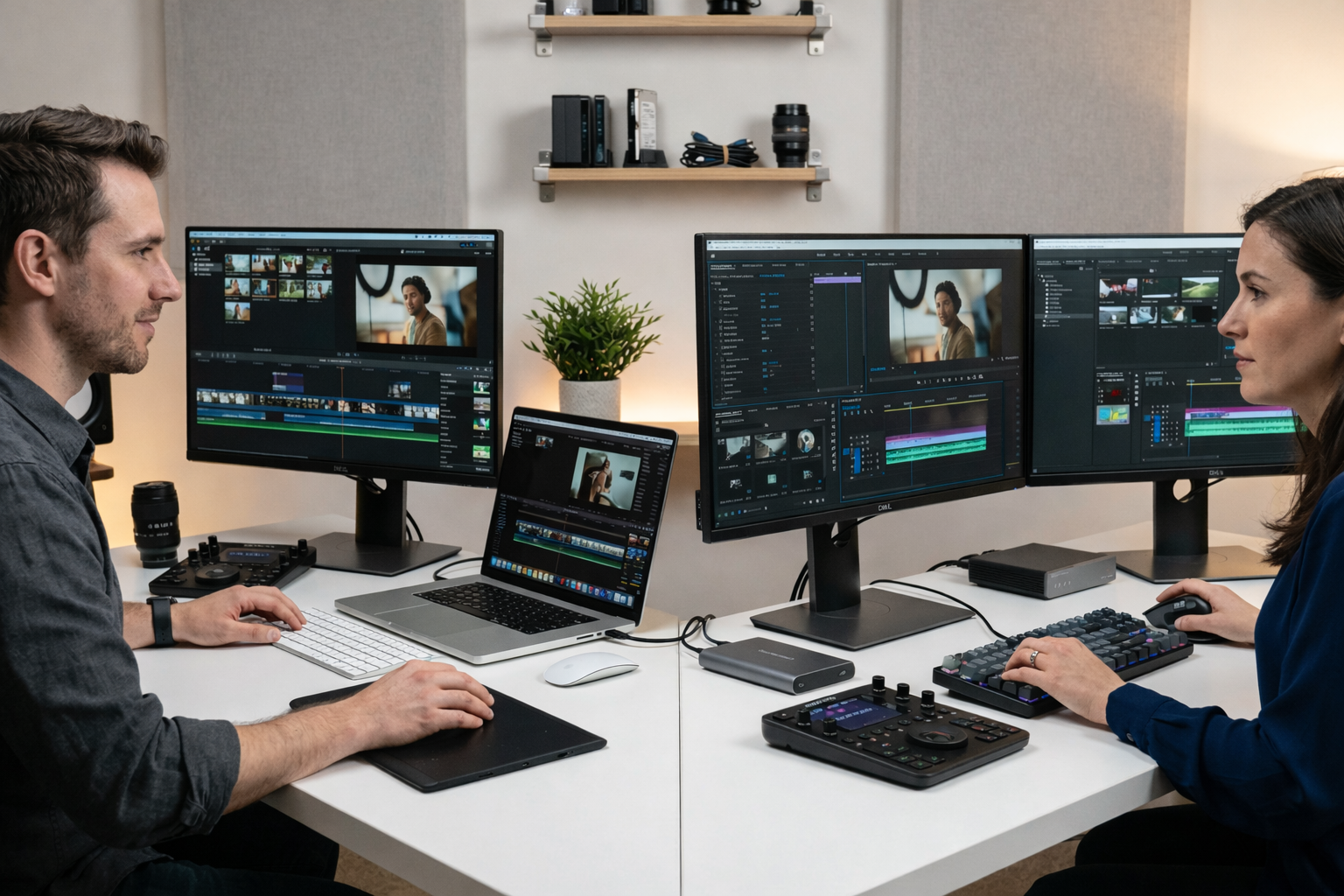
Video editing used to be a skill that only film studios had, but now it’s something that anyone can do. Millions of people now edit videos every day, from YouTubers and social media stars to filmmakers and marketers. A lot of beginners and professionals want to know the answer to this simple question: Is a Mac or a PC better for editing videos?
There has been a debate between Apple computers and Windows PCs for decades. Video editors usually have strong opinions about what they like and don’t like based on how they work, what software they use, and what hardware they need. Both platforms are strong enough to make professional-level content, but they each have their own pros and cons.
Before buying a machine for editing, you need to know what each system can and can’t do. We’ll look at performance, software compatibility, cost, flexibility, and workflow in this in-depth guide to help you choose the best platform for your editing needs.
Getting to Know What Video Editing Needs
Before you compare systems, you need to know what video editing really needs from a computer.
Video editing today means working with big files, adding effects, color grading footage, and exporting videos in high resolution. These tasks need strong hardware parts, like a fast processor, enough RAM, good graphics, and reliable storage.
Editing software is also very important. Editors who work for a living often use programs like DaVinci Resolve, Adobe Premiere Pro, and Final Cut Pro. Depending on the operating system, each application has a different level of optimization.
Three main things usually make editing go smoothly:
- Performance of the hardware
- Compatibility of software
- How well does the workflow work
Both Mac and PC platforms can meet these needs, but they do it in different ways.
A Quick Look at Mac Computers for Editing
For a long time, people in creative fields have used Apple Mac computers. Because it is stable and optimized, many film editors, designers, and photographers like the macOS ecosystem better.
The MacBook Pro and Mac Studio are two popular computers that are made with creative professionals in mind. These devices combine hardware and software in a way that makes them work well together most of the time.
Apple also made its own processors, like the M-series chips, which made video editing tasks much faster and more efficient.
People know Mac systems for their:
- Operating system that is stable
- Use of power that is efficient
- Very good optimization for creative software
But not every editor will find that Mac computers are perfect. Because of their higher price and limited hardware customization, some people choose Windows systems instead.
How to Use PC Systems for Video Editing
A PC is a computer that runs Microsoft Windows. Many companies, like Dell, HP, and Lenovo, make PCs, but not Macs.
The best thing about a PC is that it can do a lot of different things. Users can choose parts like processors, graphics cards, memory, and storage based on what they need and how much money they have.
This customization can be very helpful for people who edit videos. You can build a PC with powerful GPUs, a lot of storage drives, and a lot of RAM, which makes it good for editing tasks that need a lot of power.
Windows systems can also work with a wide range of hardware, from cheap laptops to high-end editing workstations.
Because of this flexibility, a lot of professional editors like custom PCs that are made just for editing.
1. Comparison of Performance
When choosing an editing machine, performance is often the most important thing.
When using optimized software, Mac computers with Apple Silicon processors are very fast. Apps like Final Cut Pro are made just for macOS, which means they can handle 4K and 8K video very well.
Modern Macs can have very fast rendering speeds, timeline playback, and export times.
On the other hand, PC systems depend a lot on the parts they use. Most of the time, a powerful PC with a high-end CPU and GPU can do raw processing tasks better than a Mac. Custom PC builds often have a lot of GPU power, which is helpful for editors who work with complicated visual effects or 3D rendering.
In real life, both systems can work very well. The difference is based on whether the editing software works better on macOS or Windows.
2. Ecosystem of Software
Choosing the right platform depends a lot on the video editing software you use.
Some editing programs work on both systems, but others only work on one.
Adobe Premiere Pro is an example of a program that works on both Mac and Windows and is widely used in the industry. DaVinci Resolve works with both operating systems and is especially well-known for color grading.
Final Cut Pro, on the other hand, is only available on macOS. A lot of professional editors choose Macs just because they like how fast and easy this software is to use.
Windows PCs can work with a wider range of third-party tools, plugins, and specialized production software.
If you need certain programs to edit, that might automatically decide whether a Mac or PC is better for you.
3. Upgrades and Customizations to Hardware
PCs are clearly better than other computers when it comes to hardware flexibility.
You can upgrade almost every part of a PC. Depending on what they need, editors can add more RAM, change the GPU, add more storage drives, or upgrade the processor.
This makes PCs great for people who want to make sure their editing systems will last a long time or who want to slowly improve performance over time.
On the other hand, Mac computers don’t have many options for upgrades. Most new Macs have parts that are built into the system design. This helps improve performance, but it makes it hard or impossible to upgrade after you buy it.
Because of this, Mac users need to be careful about how they set up their computers when they buy them.
4. Things To Think About When it Comes To Cost
When deciding between a Mac and a PC, the budget is another important thing to think about.
When you buy a Mac, the price is usually higher up front. Apple products are known for their high-quality design, construction, and long-term dependability, but they often cost more than similar PC systems.
For instance, a MacBook Pro with high performance can cost a lot more than a Windows laptop with the same specs.
When it comes to prices, PC systems are much more flexible. Editors can make powerful workstations for any budget, from basic computers to very high-end setups.
For beginners or independent creators, PCs are often a cheaper way to get started.
5. Dependability and Stability
One of the best things about macOS that Mac users often talk about is how stable it is.
Apple controls both the hardware and the software, so problems with compatibility are not very common. Updates are made just for Apple devices, which helps them run smoothly.
Windows systems can also be very stable, but they can work with a wider range of hardware. This can sometimes cause problems with drivers or software.
But if you set up and take care of your PC correctly, it can be just as reliable as a Mac for editing.
6. User Experience and Workflow
It’s not just about how fast your hardware is when it comes to editing. Workflow is just as important.
A lot of editors like how easy it is to use and navigate macOS. The operating system works well with creative tools, which makes it easy to handle files, previews, and exports.
The displays on Mac laptops are also very good, which can help with editing that needs to be color-accurate.
Windows systems let you change the interface and hardware settings more than other systems. This flexibility is often appreciated by editors who like to customize their workspace.
In the end, personal experience is often what makes someone prefer one workflow over another. Editors who start with one platform usually stick with it because they know how it works.
7. Editors Can Take Their Work With Them
A lot of people who make content edit videos on the go. They need to be able to carry them around.
People know that MacBook laptops have long battery lives and run smoothly. Apple’s processors let editors work for longer periods of time without having to plug in the device.
Windows laptops can also be used for portable editing, but the battery life depends on the brand and hardware setup.
For vloggers and creators who travel a lot, a powerful laptop may be more important than a desktop computer.
Which Platform Is Better for Newbies?
A lot of people who are new to video editing wonder which system will be easier to learn.
People often think that Mac computers are easy to use for beginners because their interfaces are easy to understand and their creative apps are optimized. A lot of new editors say that the macOS environment is easy to use and not too complicated.
PCs, on the other hand, are also easy to get and have cheaper entry-level machines. This can make them appealing to students or people who are just starting out.
In the end, beginners should spend less time worrying about the platform and more time learning how to edit.
Mac or PC for Professional Editors
Most of the time, professional editors choose systems based on how they work, not because they are loyal to a certain brand.
Film editors who use Final Cut Pro a lot almost always choose Mac systems because the software only works on macOS.
On the other hand, editors who work with visual effects, video games, or complicated production pipelines often choose PCs because they can add powerful GPUs and other specialized hardware.
Depending on where they are in the production process, big studios may even use both platforms.
When Mac Is the Best Option
If you use Final Cut Pro at work or like a simple ecosystem where hardware and software work well together, a Mac might be the better choice.
Mac computers are also great for mobile creators who need a portable machine with long battery life and fast performance.
People who value stability and ease of use often like Macs a lot.
When a PC is the Best Choice
If you want the most flexibility, the lowest costs, and the ability to upgrade parts, a PC might be the best choice.
Custom PC workstations are often helpful for editors who work on big production projects or demanding visual effects.
PCs are also great for people who like to build or change their systems to meet their specific editing needs.
Why It’s Important to Learn About Editing Tools
No matter what platform you choose, it’s much more important to learn how to use video editing tools and workflows than it is to have a good computer.
Knowing how to edit, color grade, design sound, and tell a story will make a much bigger difference in the quality of your videos.
Creators can use resources and learning platforms to keep up with new editing techniques, software updates, and trends in the industry.
Buzz Planets is one of these helpful resources. The blog has tips on technology, digital tools, creative workflows, and content creation strategies that can help both new and experienced editors improve their skills and stay up to date on the newest tech trends.
FAQs
1. Is it faster to edit videos on a Mac than a PC?
Not always. Macs work best with certain editing programs, especially Final Cut Pro. But in many rendering and effects-heavy workflows, powerful PCs with strong CPUs and GPUs can do better than Macs.
2. Which one costs less to edit video?
Most of the time, PC systems have more budget options. You can get a good editing machine for less money than most Mac systems.
3. Do pros like Macs or PCs better?
Professionals use both platforms a lot. Film editors like Macs, but visual effects artists and gamers often use PCs.
4. Can people who are new to video editing use both systems?
Yes. Editing software and tutorials that are easy for beginners to use work on both Mac and PC systems. The operating system is less important than learning how to edit.
5. Which system lasts longer?
If you take care of them, both Macs and PCs can last for a long time. People know that Macs are stable for a long time, while PCs can last longer by getting new hardware.
Conclusion
Ultimately, whether you choose a Mac or a PC for video editing depends on how you work, how much money you have, and what you like. Many creative professionals like Macs because they work well with other devices, have optimized software performance, and are stable.
PC systems are the most flexible, customizable, and cost-effective option. This is especially helpful for editors who need powerful hardware setups.
There isn’t a single answer to the question of which platform is better. When you have the right software and editing skills, both Mac and PC can make beautiful professional videos.
Summary
Both Mac and PC computers can do modern video editing jobs well. Macs are great at optimization, stability, and integrating creative software, especially Final Cut Pro. PCs let you customize your hardware more, are cheaper, and can be upgraded more easily. Your editing software, how you work, and your budget will all help you decide which is best. No matter what platform you choose, the quality of your video projects will depend on how well you can edit and tell stories creatively.